I build products the same way I run programmes: the interesting version is the one that survives contact with a real user, so each of these has been pointed at a real problem before it had a landing page. None is on general sale. Where a launch date exists I’ve said so; where it doesn’t, I’ve said that too.
If one of these is closer to your problem than a consulting engagement is, get in touch — early access is a conversation, not a waiting list.
GeoDrillDraw
Nearly ready to launch
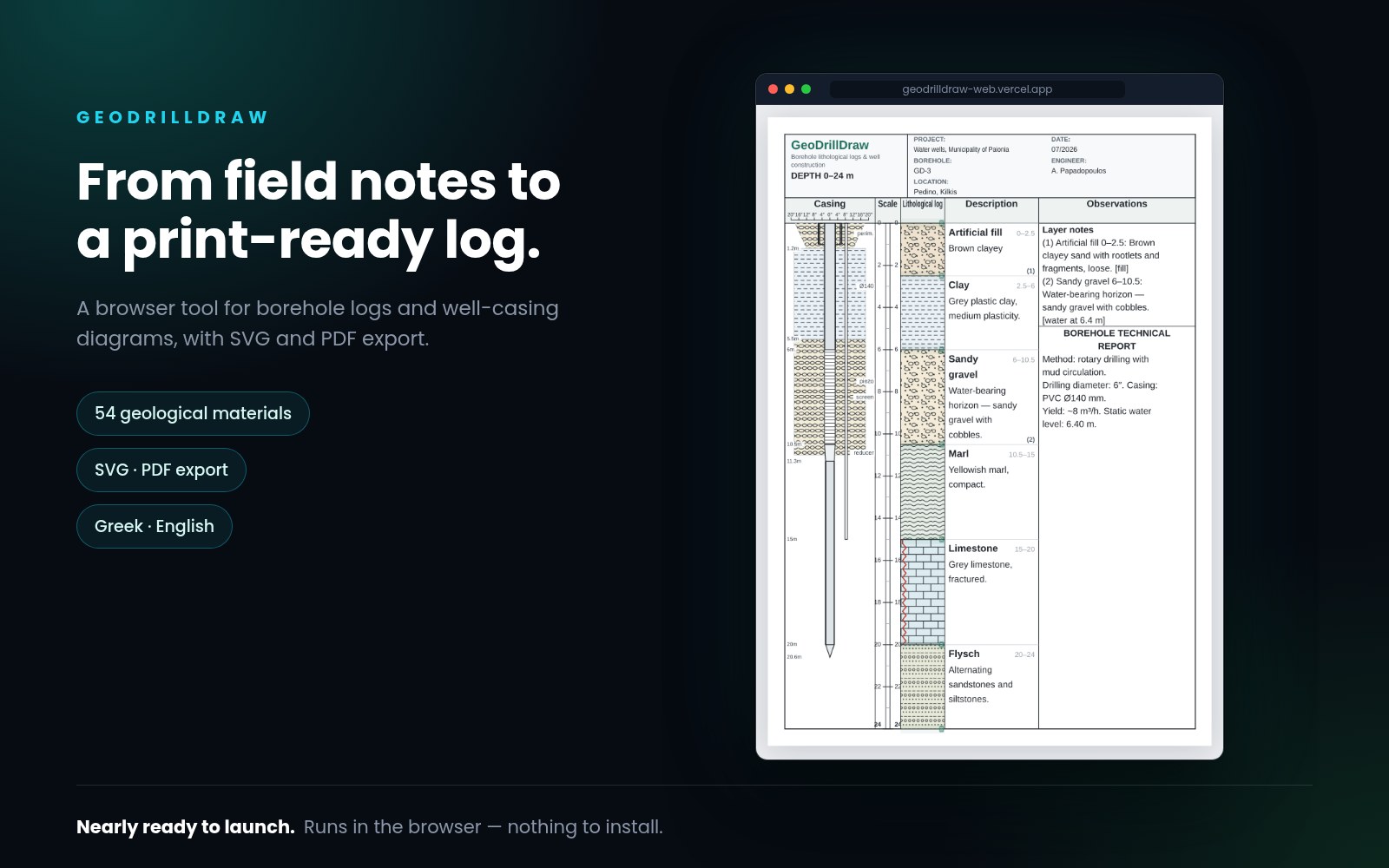
Borehole logs and well-casing diagrams, in a browser tab.
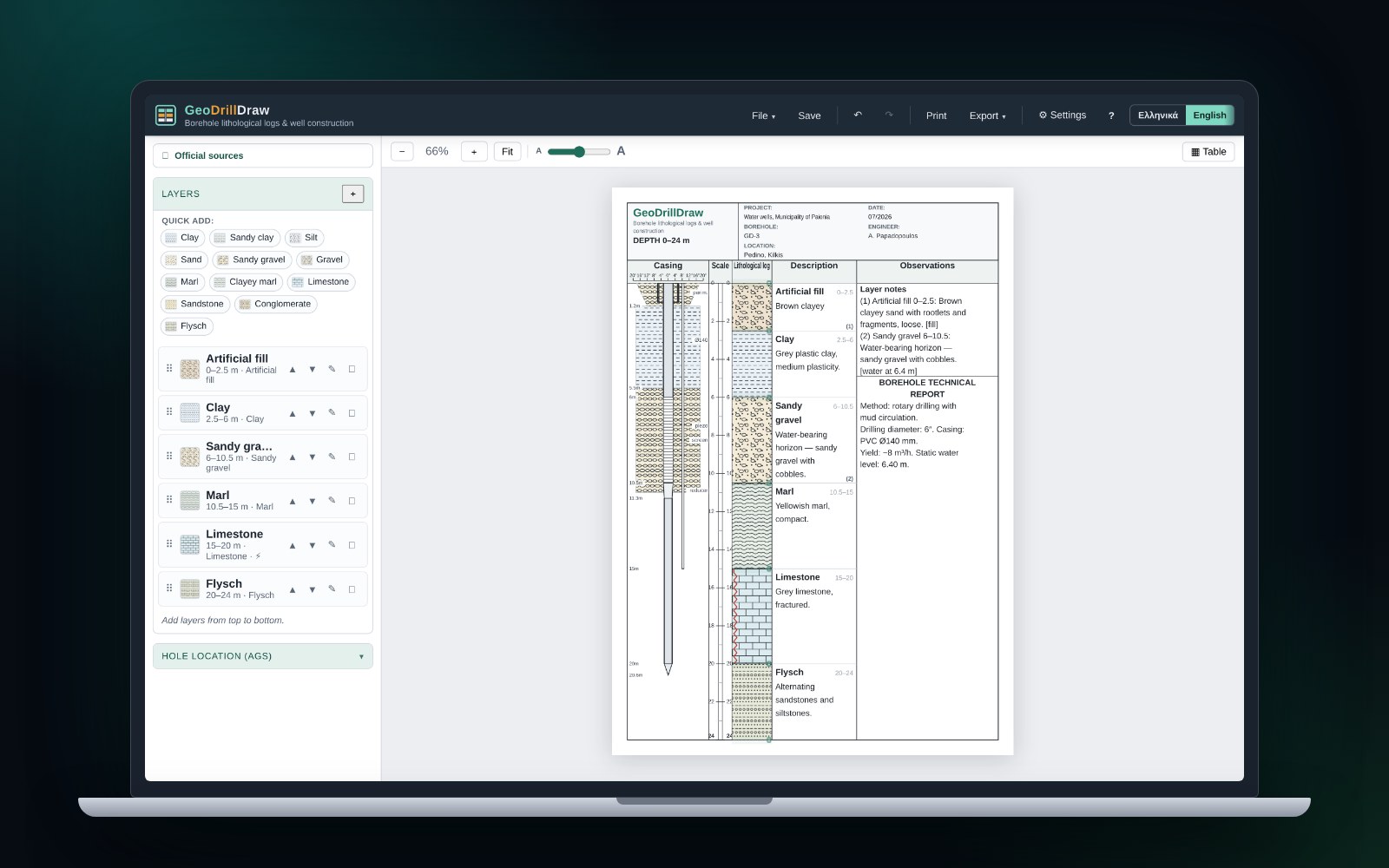
Every water-well project produces the same two drawings: the λιθολογική τομή, showing what the drill passed through layer by layer, and the σωλήνωση, the well-casing and piezometer construction diagram. The software for producing them is desktop software — Windows-only, installed, tied to one machine. The observations are made somewhere else entirely: at the wellhead, in a site office, in a truck.
GeoDrillDraw produces both drawings in the browser. No install, no account, no server — and because there is no server, nothing is uploaded.
- 54 geological materials, each one click away
- Piezometer and monitoring-well arrangements
- Vector SVG and PDF export
- Imports legacy .gdr files
- Greek and English
- Not for sale yet
Virtual Food Studio
Live application · in development
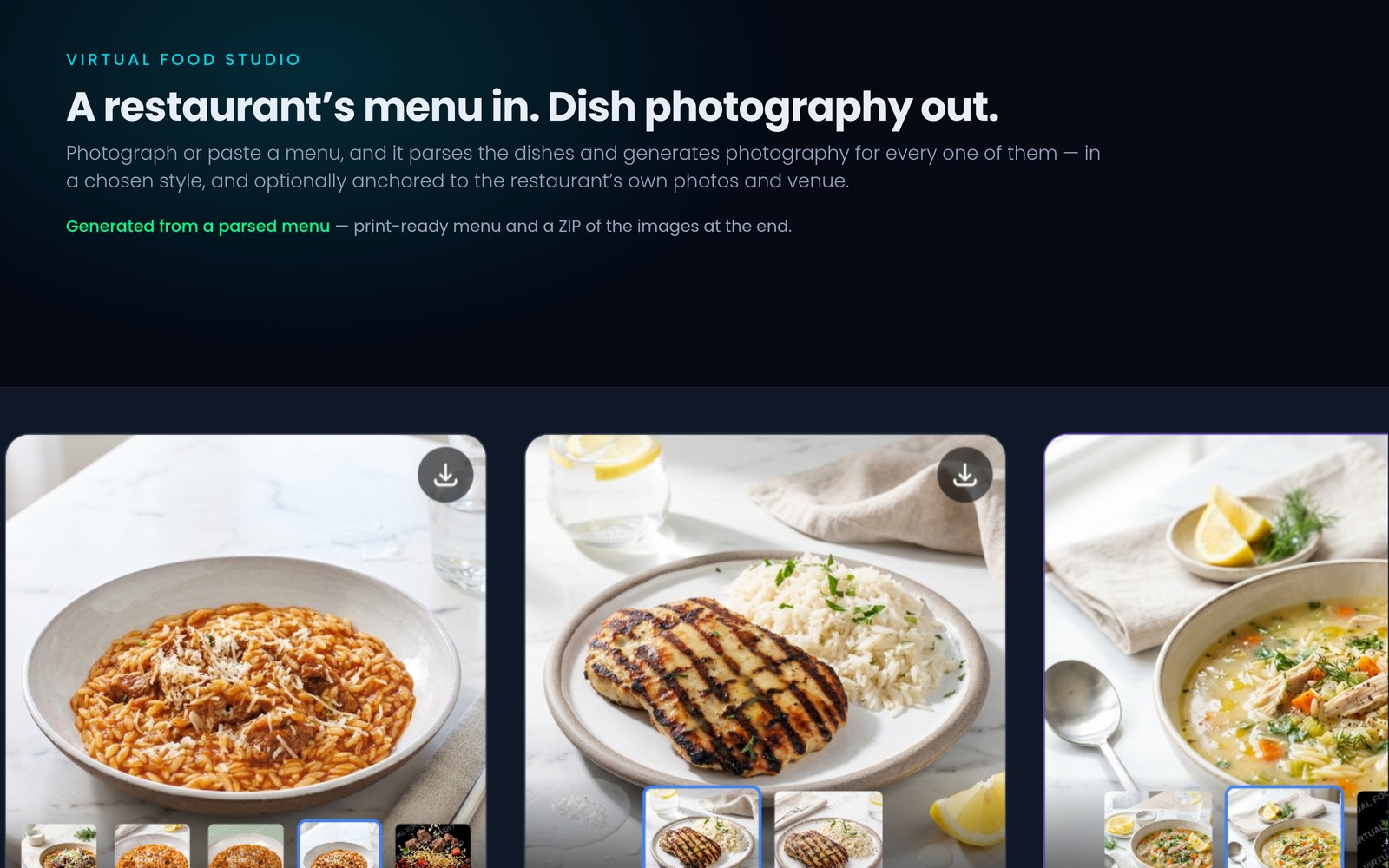
A restaurant’s menu in. Professional dish photography out.
Photograph or paste a menu, and it parses the dishes and generates food photography for each one — in a chosen style, and optionally anchored to the restaurant’s own dish photos and venue so the results still look like the real place. Print-ready menu and a ZIP of the images at the end.
For a small restaurant the alternative is a photographer for a day, a stylist, and a shoot that covers a fraction of the menu. This covers all of it, and can be redone when the menu changes.
- Menu parsed from a photograph or paste
- Style selection per shoot
- Anchored to the venue’s own photos
- Print-ready menu plus a ZIP
- Every model call runs server-side
- Not on general sale
The Caretaker
MVP in build · not accepted yet
A companion and safety net for people who can’t have someone with them around the clock.
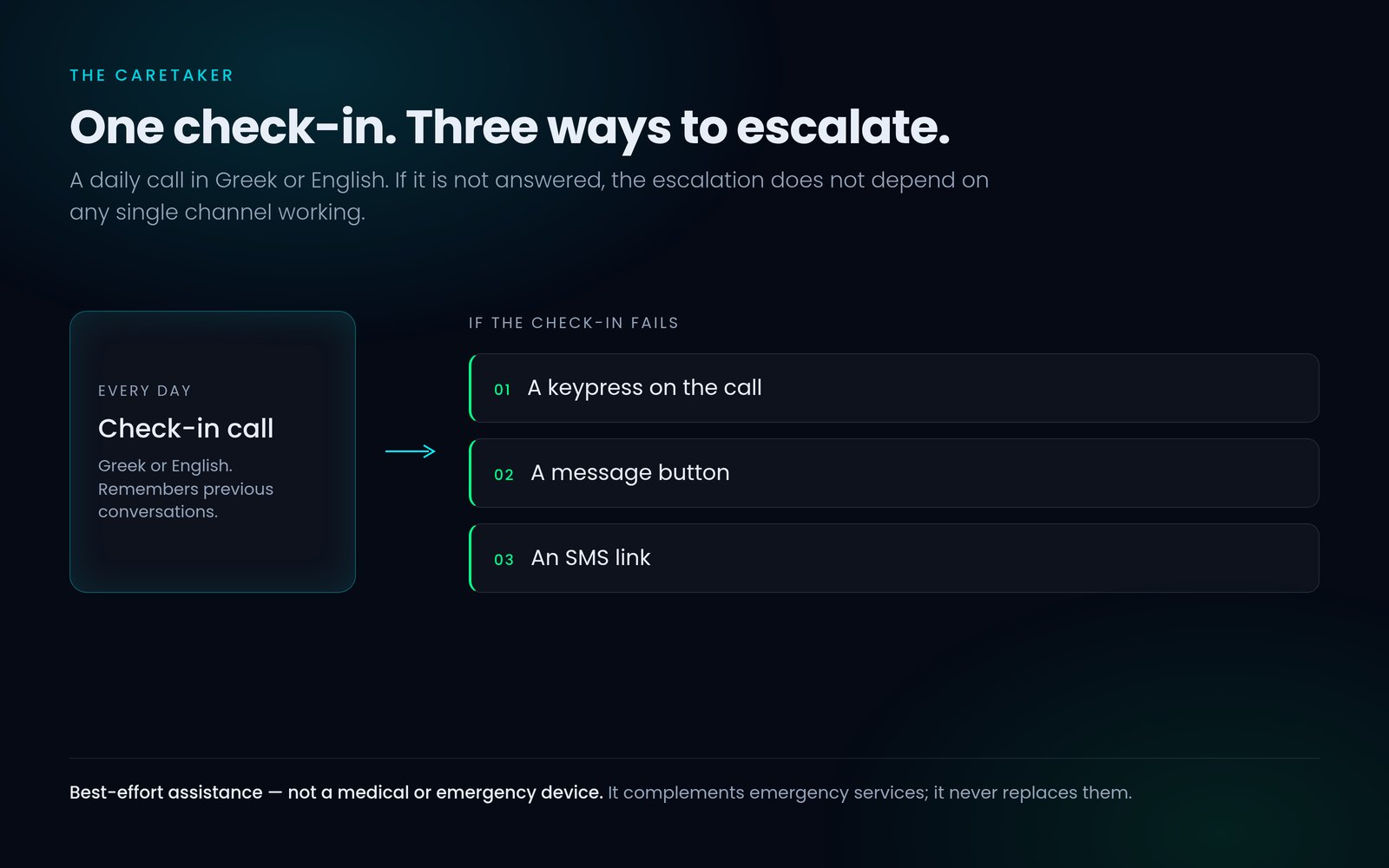
The elderly first, but the same need exists for anyone living semi-independently — with a disability, a chronic illness, or a recovery that isn’t finished. It runs a daily check-in call in Greek or English, and if the check-in fails it escalates through three independent channels rather than one. It also remembers previous conversations, so it’s a presence rather than an alarm.
This is best-effort assistance, not a medical or emergency device. It complements emergency services — it never replaces them, and every user is told so directly.
- Daily call in Greek or English
- Three independent escalation channels
- Remembers previous conversations
- Cloud-first and model-agnostic
- Safety spine code-complete, 193 tests passing
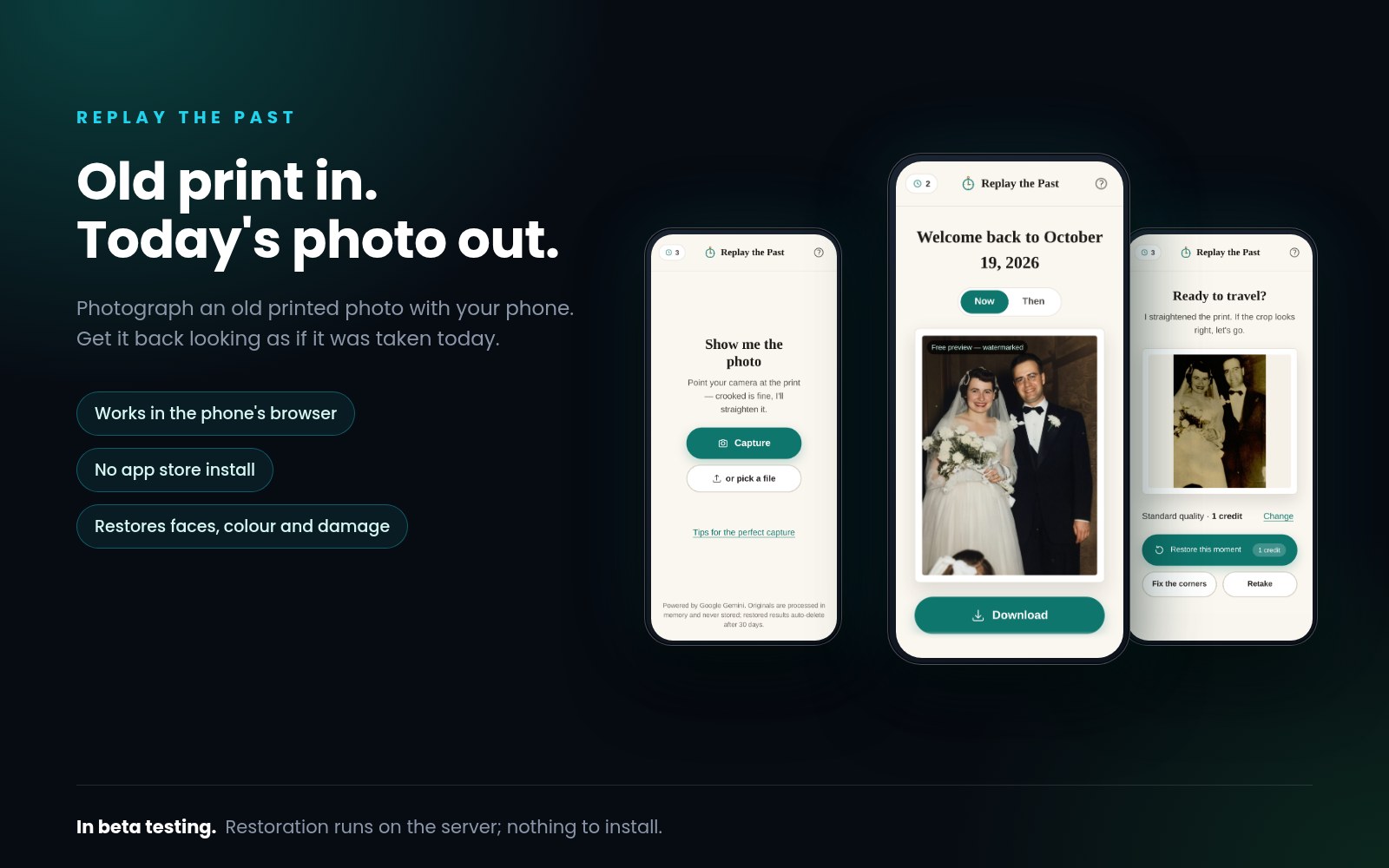
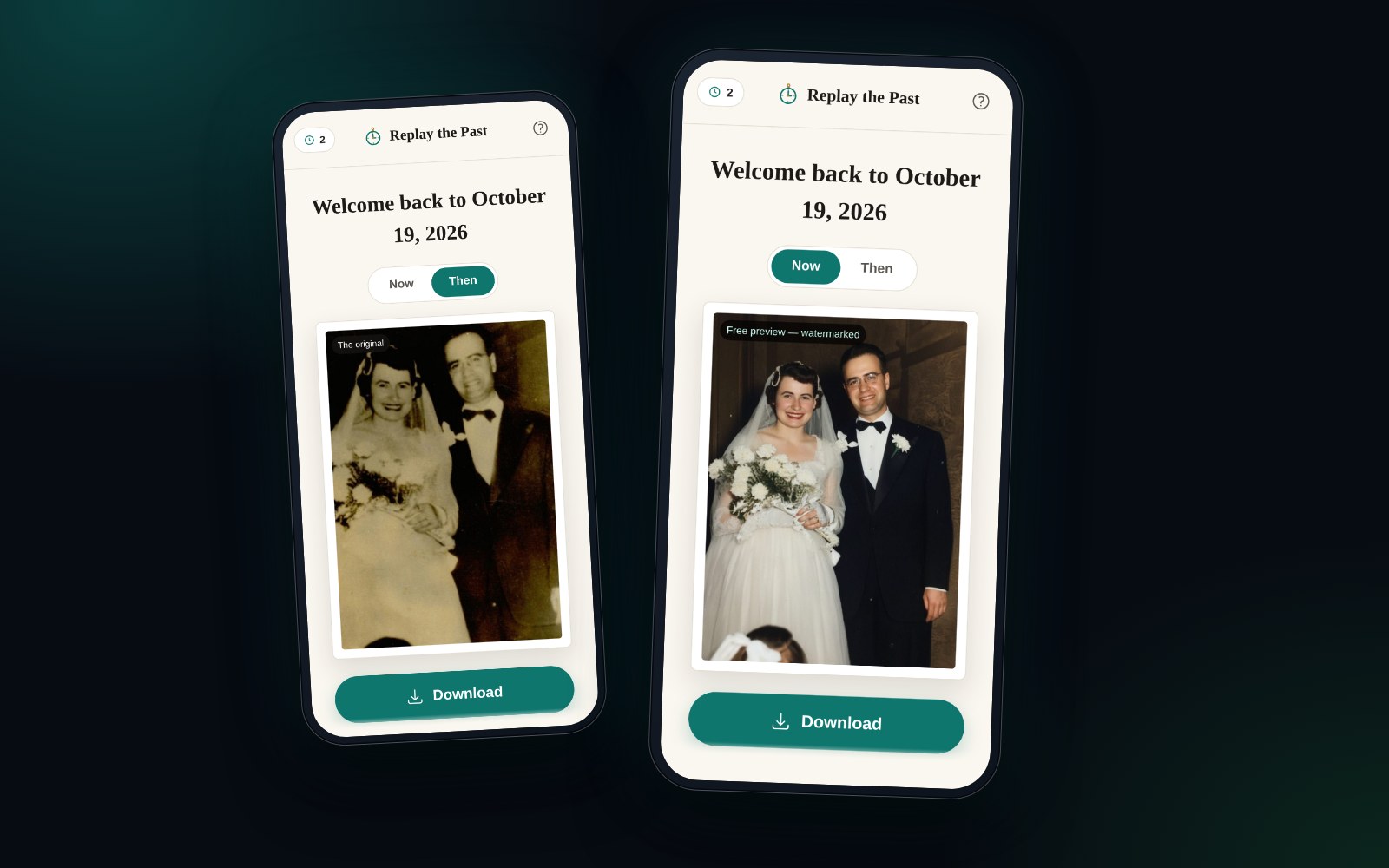
Replay the Past
In beta testing
Point your phone at an old printed photograph and get it back as if it were taken today.
No scanner, no upload queue, no editing skills. A photograph of a photograph is enough — the restoration handles the fading, the creases, the colour shift and the loss of detail that fifty years in a drawer produces.
Built as a progressive web app so there’s nothing to install, with every model call running on the server. No API key ever reaches the browser.
- Works from a phone photo of a print
- Progressive web app — nothing to install
- Full test suite
- Model calls run server-side
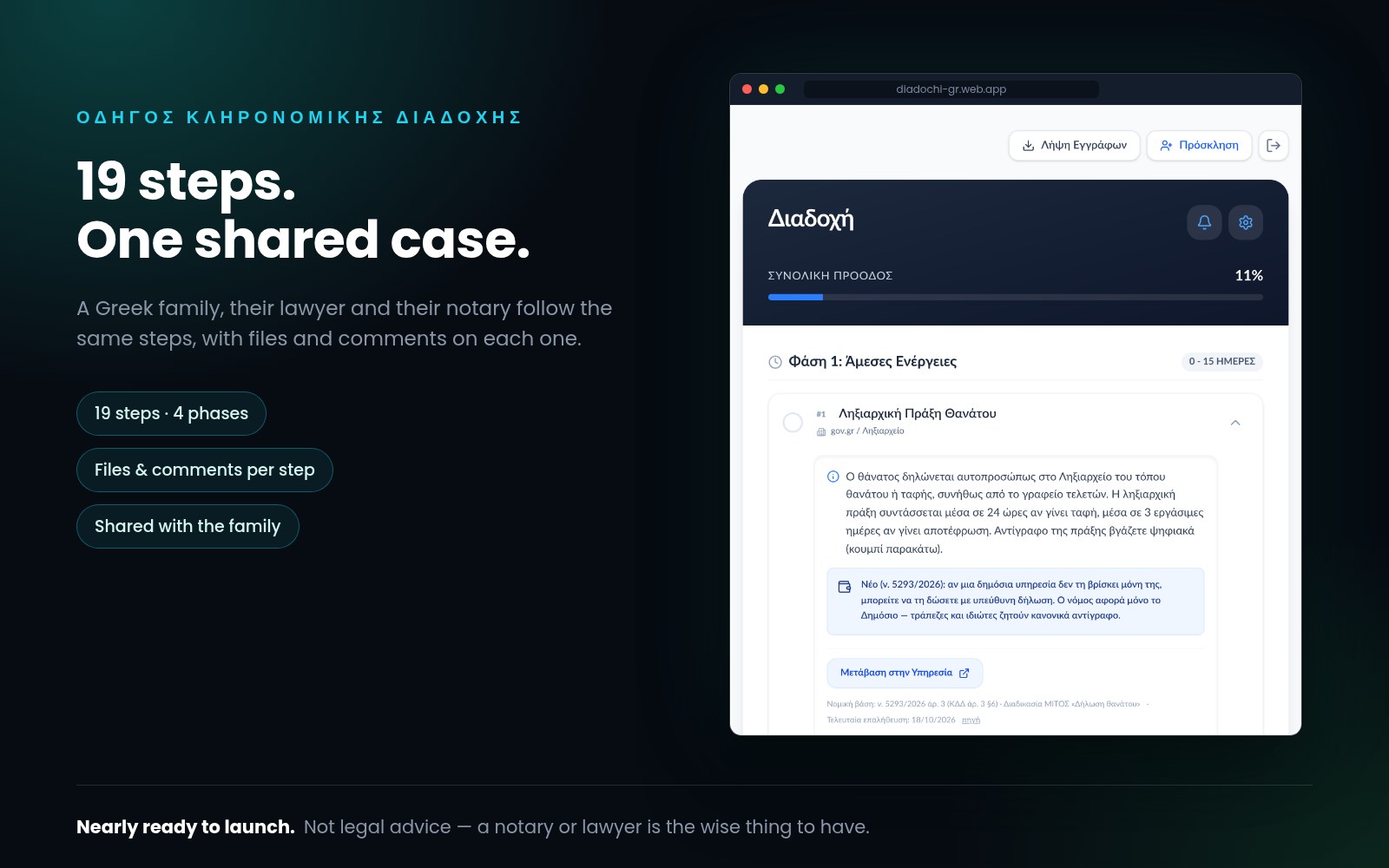
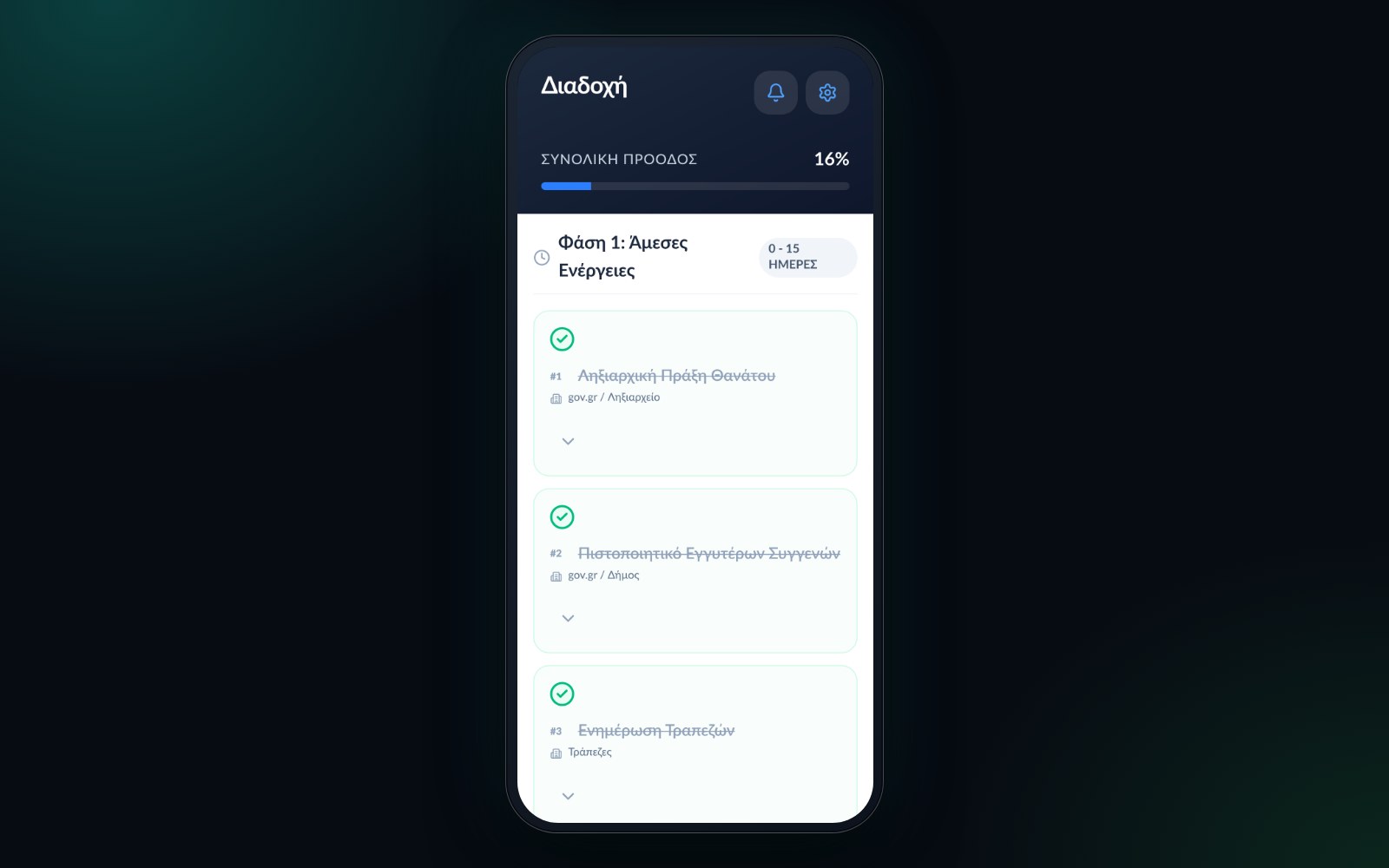
Οδηγός Κληρονομικής Διαδοχής
Nearly ready to launch
19 steps, one family, one shared view.
Οδηγός Κληρονομικής Διαδοχής guides a family through inheritance in Greece. The guide has 19 steps in four phases, from the first days to the final registrations.
Everyone involved works in one shared case: family members, the lawyer, and the notary. Each step can hold its own files and comments.
This guide is for information only and is not legal advice. Working with a notary (συμβολαιογράφος) and/or a lawyer is the wise thing to do.
- One shared case, not per-person checklists
- Roles including δικηγόρος and συμβολαιογράφος
- Files attached to the step that produced them
- A comment thread per step
Google Takeout → Markdown
Working application · in development
Your Google export, as files you can actually read.
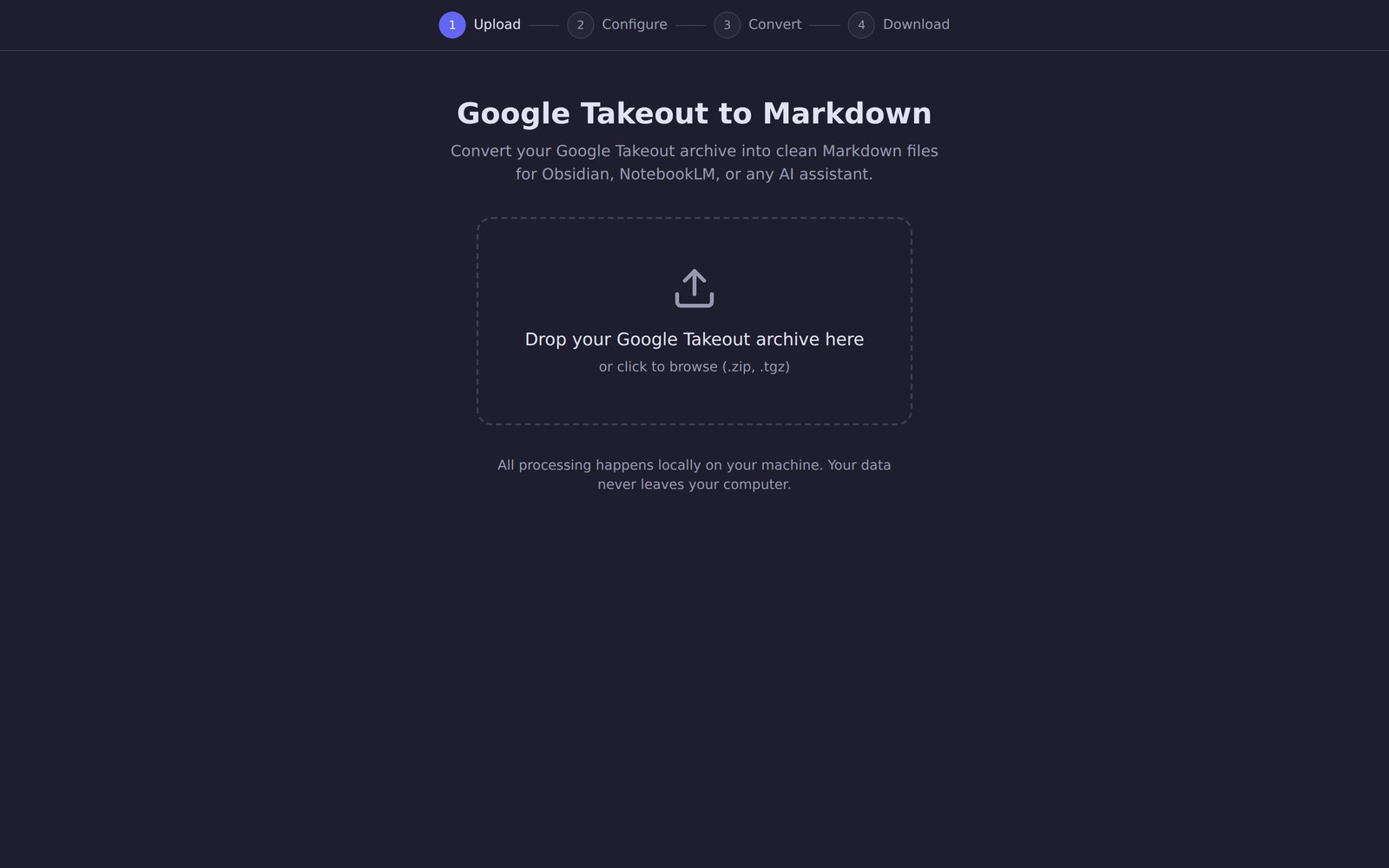
A Google Takeout archive arrives as a pile of split ZIPs full of formats built for machines. This merges the parts, walks you through four steps — upload, configure, convert, download — and gives back clean Markdown: Gmail, Keep, Photos metadata and the rest, in files that drop straight into Obsidian, NotebookLM or any AI assistant.
It runs entirely on your own computer. A Google export is among the most personal archives a person owns, so nothing is uploaded anywhere: the app is a local web UI in front of a local processor.
- Merges split archives
- Four steps: upload, configure, convert, download
- Clean Markdown out
- Runs entirely on your own machine
Cortex II
Working system · becoming a product
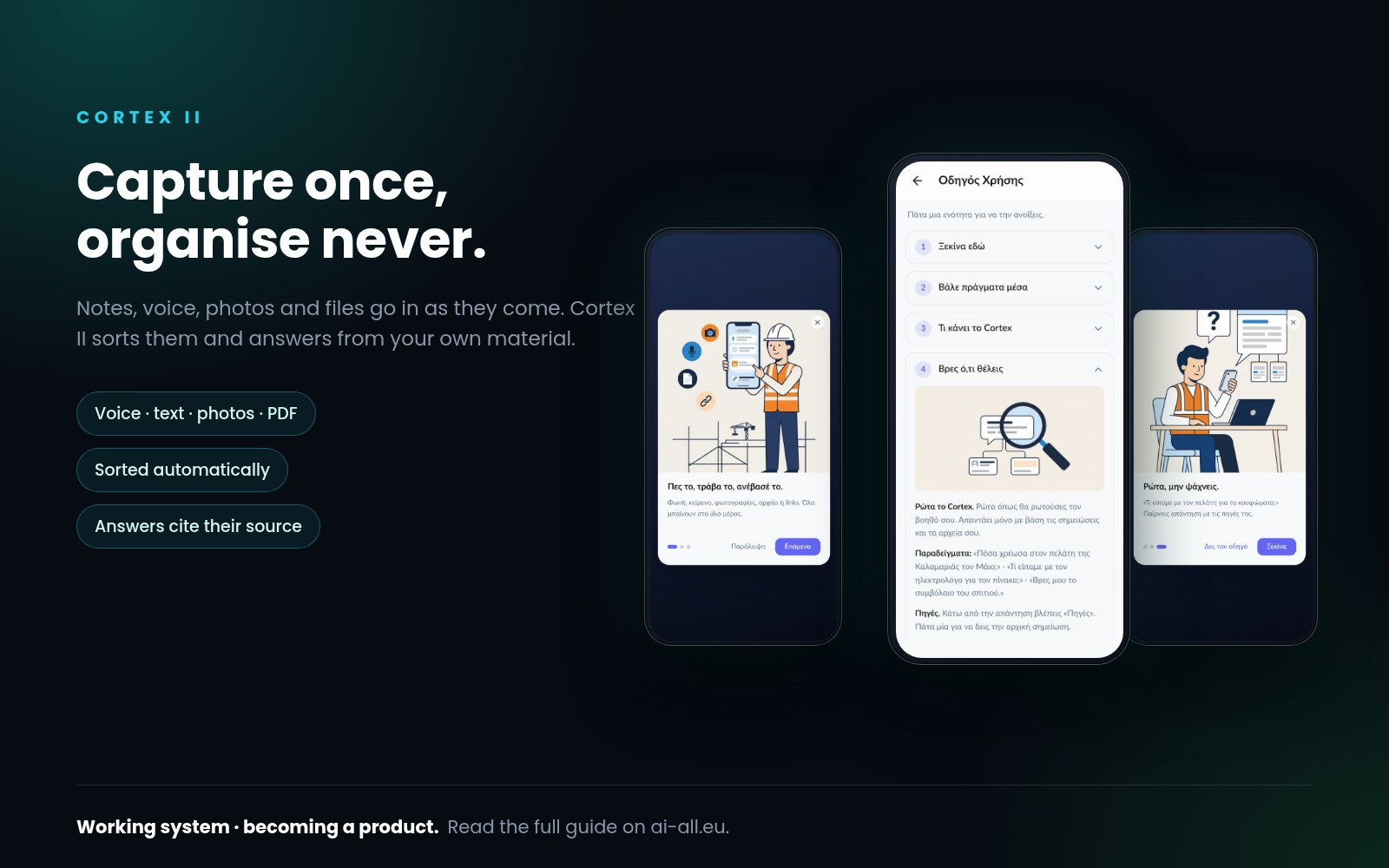
Capture once, organise never.
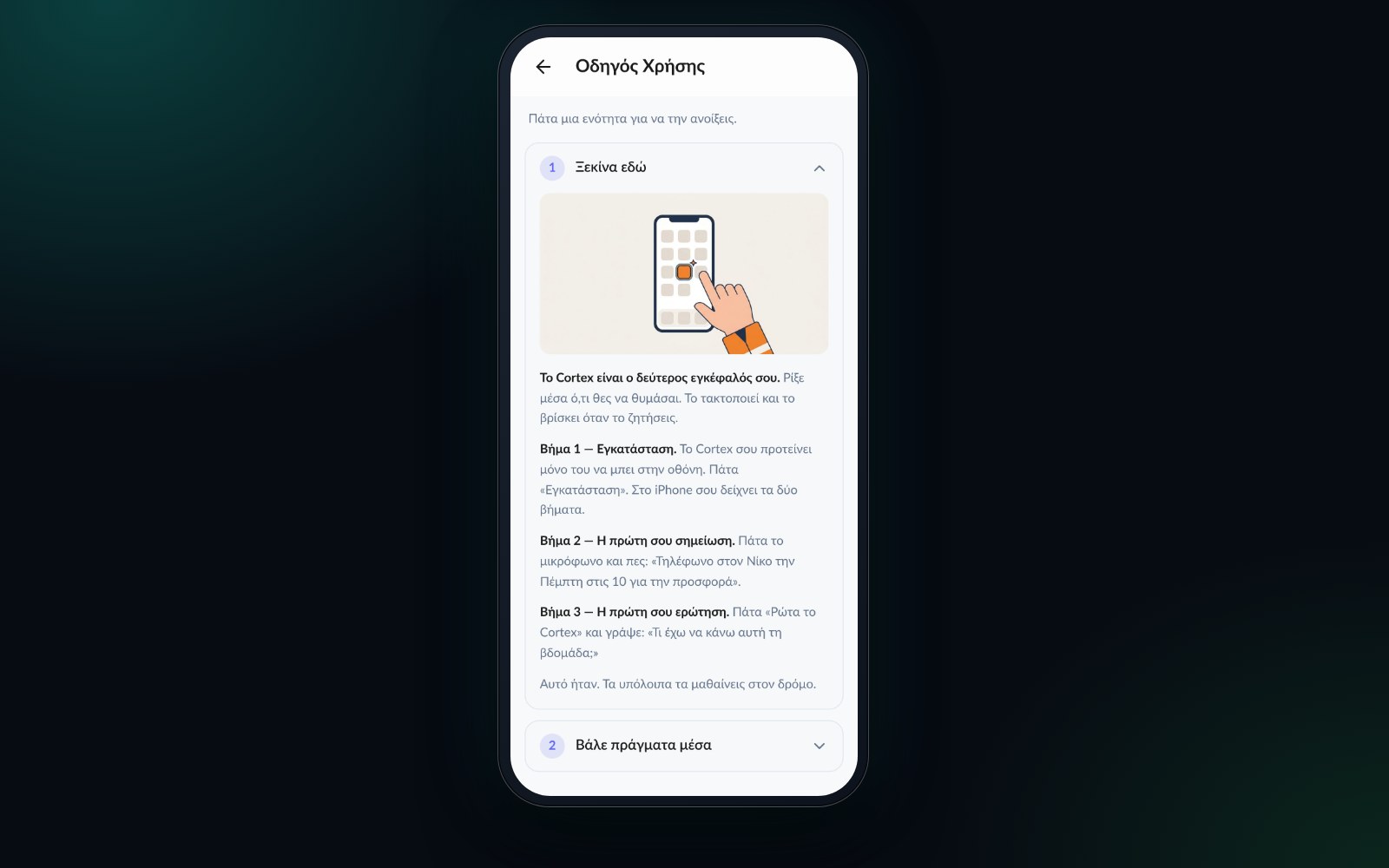
Personal knowledge management fails at the filing step. Cortex II removes it: notes, files and documents go in as they arrive, get read and analysed on the way in, and become searchable by meaning rather than by remembering where you put them. You ask it questions instead of browsing folders.
Answers come back with citations to the items they were drawn from, so you can check the source rather than trust a summary.
- Text, voice, camera images, files and PDFs
- No folder or tag decision at capture
- Automatic project/area/resource/archive structure
- Search by meaning, not exact wording
- Answers cite your own items
- Cortex II is becoming a product.
Nothing here is for sale yet. If one of them is the shape of a problem you have, tell me about it — that is how these get built.